Showing posts with label Reviews. Show all posts

Thursday, 19 November 2015


While Google still working on its modular phone "Project Ara", the PuzzlePhone is also gaining a fair share of attention. In a modular phone, you can easily upgrade or repair by replacing or swapping out parts. But there's no standard yet, and every company is having its own take on modular phones. The PuzzlePhone by Circular Devices Ltd. is an interesting take on modular phones and features three easy to change modules: Brain, Spine and Heart.

As the word suggests, the Brain contains the main electronics: processor(CPU), RAM, modem, graphics processor(GPU), storage capacity and camera. The Spine includes the display and associated electronics. The Heart contains the battery and other electronics.


The creators are running a campaign to develop a working prototype. The PuzzlePhone includes  a 5-inch display with a 1080 resolution (1920 x 1080). The phone will be powered by a 64-bit octa-core ARM processor with 3GB of RAM and a storage capacity of 16GB, 32GB or 64GB. The rear camera will be a 12 megapixel camera with flash, while the front-facing camera is 5 megapixels. It also includes a 2800mAh battery, NFC and a USB 2.0/3.0 Type-C. The phone will run the latest Android OS at the time of the launch.

The company Circular Devices Ltd. is hoping to raise $250,000 to cover the production costs of the PuzzlePhone. The European Union is covering majority of the R&D costs. The company promises that it will continue to produce the phone with private funding even if the campaign fails.


On its campaign, Circular Devices has featured 3 levels: Very Early Bird First Edition which is limited to 250 backers and costs $333 and will be shipped by September 2016, Early Bird which is limited to 500 backers and costs $444 and will be shipped by October 2016, and the Limited Edition which is limited to 259 backers and costs $777 and will be shipped by September of this year.

Lots of aspects of modular phone is still in its infancy and various companies are producing their models like the Project Ara, Fairphone2 and the Puzzlephone to create their own niche in this competitive and growing industry.


HOPE YOU LIKED THIS POST TOO.....PLEASE FEEL FREE TO SHARE YOUR VIEWS IN THE COMMENT SECTION BELOW.

      SHARE THIS POST

Wednesday, 7 October 2015

The iPad pro was just released last month with Apple coming back to the stylus genre. Microsoft, which has been stagnating in the smartphone market has finally come up with a killer! It clearly aims to cut out a huge chunk from the Laptop Market.

During the launch of the iPad Pro we said how we would have preferred the iPad Pro to have run Mac OS. And for good reason. If you create a tablet meant for work, then it must be able to replace the predominant laptops, not to get a smart phone OS on an enlarged 
screen
With the Specification Sheet Microsoft has just released, this Surface Pro 4 has just packed everything in the right space and has not left any room for competition!
Before diving into finer details lets have a quick look at the specifications sheet:

  • Processor: Intel 6th-gen processor (Core M3, i5 or i7)
  • Graphics: Intel HD graphics 515 (M3), Intel HD graphics 520 (i5) and Intel Iris (i7) graphic cards
  • Stylus: Microsoft Pen with custom Touch G5 chipset by Microsoft. Surface Pen stylus (five colors and interchangeable pen tips, more like apple?) 
  • Dimensions: 7.93 x 11.5 x 0.33 inches (201.4 x 292.1 x 8.4 mm, yes huge but manageable not like the Apple "SLATE") 
  • Weight: Between 766 and 786g (depending on processor)
  • Display: 12.3-inch PixelSense display with 2736 x 1824 resolution. 3:2 aspect ratio with 267 ppi and Gorilla Glass 4 screen. The resolution is good but, the exact results from camera have yet to be seen.  
  • RAM: Choice of 4/8/16 GB
  • Storage: Choice of 128/256/512GB/1TB SSD (One Drive yet to be stated.) 
  • Networking: Wi-Fi 802.11 ac/802.11 a/b/g/n/ac, Bluetooth 4.0 LE support. Supports LTE and that's great for Indian Market! 
  • Supports microSD card 
  • USB 3.0 and Mini DisplayPort connectivity
  • Camera: 8MP rear and 5MP front-facing camera, both supporting 1080p HD recording. lol Front camera, "lets take a selfie! " But as its primarily a larger tab-computer hybrid, so I didn't expect a high end camera.
  • Fingerprint sensor
  • Battery: Up to 9 hours of video playback. Could have been way better. But practical hours of usage yet to come.  
  • Operating System: Windows 10 Pro
  • Surface Pro 4 docking stations (four USB 3.0, two 4K DisplayPort and Ethernet ports)
  • Surface Pro Type Cover (individual buy)

AND FINALLY TO THE PRICE : 
Well the Surface series haven't had much success in the Indian Market owing to the high price ( over Rs 1.5 lakhs)
So we can expect the price of this to start at about Rs 2 lakh.


But the most Interesting part? 
There’s also a new Surface pen with a new touch controller chip that refines the input when you’re writing or drawing. The battery inside the pen lasts a full year—a metaphorical nod to liquid ink inside an old-school pen, the company says. Fortunately, the Surface pen draws from its analog in other ways as well. Using it on the Surface Pro 4 feels like you’re actually writing with ink on paper. The eraser—which Microsoft pointedly noted Apple’s Pencil stylus lacks altogether—feels similarly lifelike.
The pen has a few other satisfying surprises as well. The magnetic locking to the Surface Pro 4 is stronger than expected, helping minimize the odds that you’ll misplace it. You can also hold down the the cap to summon Cortana, Microsoft’s digital personal assistant, a trick that worked as advertised when we were able to try it in person.

HOPE YOU LIKED THIS POST TOO.....PLEASE FEEL FREE TO SHARE YOUR VIEWS IN THE COMMENT SECTION BELOW.

SHARE THIS POST


Sunday, 2 August 2015

The long #HYPE has come to an end. Chinese startup OnePlus has launched its second flagship OnePlus 2 crammed up with impressive specs and a cheap price tag starting from $329. OnePlus continues to use an improvised version of the invite system that was successful with the OnePlus 1. Sign Up here to get in line for your invite and OnePlus 2.

OnePlus 2 has an impressive design with a 5.5 inch 1080p display, Aluminium+Magnesium frame and feels solid. The displays also has 1500:1 contrast ratio. On the right side of the body is the volume rocker and sleep/wake key and on the left side of the body is a smart three-stage slider key. It is used for adjusting notifications. It ties in with Google's priority notifications system and will disable all notifications, or let most important ones. It makes it easier to switch between settings, otherwise you'll have to waken up the phone to do this.


The new feature on the OnePlus 2 is the fingerprint scanner placed in the home button beneath the screen. The home button is more like a touchpad and not a physical button, which is quite amazing. Just like the iPhone, it requires multiple touches to learn your fingerprint, but it is faster than Apple's Touch ID.

The OnePlus 2 runs OnePlus's Oxygen OS which is based on Android. And looking at the hardware, it uses the Snapdragon 810 processor, which is known for its heating issues. But the OnePlus promises that the OnePlus 2 will be cooler than ever. Hopefully they have made some tweaks to reduce the heating.


OnePlus 2 is one of the first phones that will utilize the new reversible USB Type-C standard for its charging and data port. So connecting a charger is now fast and less frustrating. It also sports a 4 GB RAM and comes in 2 models with varying storage: 16GB and 64GB. The 16GB phone costs $329 and the with the 64GB phone the price shoots up to $389.

The camera of the second flagship of OnePlus is a 13MP rear camera with f/2.0 aperture and a 5MP front camera and shoots 4k videos . The camera's laser autofocus system locks in a touch-free and precise focus in under 0.2 seconds. Also the Optical Image Stabilization automatically corrects for unwanted shakes and bumps.


The OnePlus offers a variety of style swaps including bamboo, rosewood, Apricot wood, Kevlar and Sandstone. As I mentioned at the beginning, OnePlus sticks to its invite system which is somewhat annoying but the improvised system looks more promising. Click Here to sign up now and get in line to get a invite and your OnePlus 2.

HOPE YOU LIKED THIS POST TOO.....PLEASE FEEL FREE TO SHARE YOUR VIEWS IN THE COMMENT SECTION BELOW.

      SHARE THIS POST

Sunday, 8 February 2015

The South Korean origin, Mobile giant, Samsung is expected to announce the Galaxy S6 and Galaxy S6 Edge, in the coming month. Leaks of the phones from a reliable site are shown below, thanks to C|NET Korea.


The image above seems to show both the Galaxy S6 and the S6 Edge, with the standard flagship model represented by the first three phones from the left. Meanwhile, the two devices on the right clearly have a bit of curve to them, though it’s unclear exactly how much. Each handset appears to sport just one curved edge, though on opposite sides, suggesting Samsung could release two different models for right and left handed people. It’s also possible the Galaxy S6 Edge could feature curves on both sides, even if that isn’t clear in this new leak.


Beyond that one difference in design, the Galaxy S6 and S6 Edge are both expected to offer similar specs, including a Quad HD display, upgraded cameras, Samsung’s own 64-bit Exynos processor and a redesigned fingerprint reader. The device should run Android 5.0 Lollipop out of the box with a scaled-back version of TouchWiz on top, and may even introduce a new mobile payment service called Samsung Pay.
The South Korean company is set to break the news next month on March 1 in Barcelona. We’ll be there covering the event live, but check back soon for any more leaks or updates as the big day approaches.


 Hope you liked this post too.....Please feel free to comment in the comment section below and share your views with us.
 For more posts and updates subscribe to our Newsletter and Like Us on Facebook: Studience
Hello guys, and welcome to another review by Studience. Here, we'll tell you everything about the "CyanogenMod". Well, you might have seen the CyanogenMod on the back of phones like the OnePlusOne. But, one thing you do observe is that, this "CyanogenMod" works similar to Android OS, so what's special about this?

Technically, CyanogenMod is an open-source operating system for smart phones and tablet computers, based on the Android mobile platform. It is developed as free and open source software based on the official releases of Android by Google, with added original and third-party code. It is based on a rolling release development model.

CyanogenMod offers features and options not found in the official firmware distributed by mobile device vendors. Features supported by CyanogenMod include native theming support, FLAC audio codec support, an OpenVPN client, CPU overclocking and other performance enhancements, unlockable bootloader and root access, soft buttons and other "tablet tweaks", toggles in the notification pull-down (such as Wi-Fi, Bluetooth and GPS), and other interface enhancements.


CyanogenMod does not contain spyware or bloatware, according to its developers. CyanogenMod is also stated to increase performance and reliability compared with official firmware releases.

HISTORY


The first version of CyanogenMod was produced not all that long after the very first Android phone was released. In the UK that mobile was known as the T-Mobile G1, which went on sale back in 2008.

An exploit was found that let people fiddle with the phone’s insides, and shortly afterwards developer Steve Kondik started working on his own tweaked version of Android. And the first version of CyanogenMod was born. He caught the eye of Samsung and joined the company asa software engineer in 2011.

But that’s not the end of Steve’s story with CyanogenMod. As well as continuing to oversee Cyanogen while at Samsung, Kondik left the tech giant in March 2013. 

In September 2013, Kondik raised $7 million in venture capital funds to ‘go legit’ with CyanogenMod, with the aim of turning it from a nerdy internet mod to something that could be used in commercial products. It raised another 23 million dollars in December 2013, and Chinese leviathan of tech Tencent was one of the core backers. 


5 things you can do with CyanogenMod 11


1. Apply system-wide themes at the press of a button

One of the neatest features of CyanogenMod 11 is the theme installer. It’s dead accessible, and lets you thoroughly reskin your phone with just about zero effort. What’s better than customising your phone yourself? Getting someone else to the leg work for you, of course.

CyanogenMod 11 themes alter fonts, lock screen styles, app icons and even notification and alarm sounds. They effectively give your phone a complete reskin, without any of the residual wonkiness you often get with custom home launchers you can run on any Android phone.


2. Switch features on and off from the notification menu

Lots of people think Android offers quick feature switches in its drop-down notifications bar. But it doesn't - this is one of the features most commonly added in third-party versions of Android.

Normal Android 4.4 instead has a separate page of app switches. CyanogenMod has this page too, but you also get a quartet of your favourite feature switches on the default notifications page, where you get told when your mum gives you a Whatsapp prod.


3. Custom Profiles

CyanogenMod lets you set a whole bunch of different profiles that alter the behaviour of your phone. 
These profiles save settings for things like Bluetooth, mobile data and Wi-Fi, giving you pretty good control over how much juice your phone uses throughout the day. You can also tweak how notifications come through for SMS, emails and so on.

You can even make them trigger when your phone is docked with an NFC tag, or when it connects to a certain Wi-Fi network. It’s up to you to put in the initial legwork of dictating how these work, but they should prove extremely useful. You switch profiles manually from the power-off menu, just as you would when switching to aeroplane mode.

4. Tweak the screen calibration


CyanogenMod 11 adds a handy little screen customisation section in the Settings menu called Screen Color. This lets you tweak the look of your screen, fiddling with things like contrast and colour saturation. 


It even lets you flip about the hues of colours, although this generally results in a supremely unnatural-looking image. This display tweaker will come in very useful if you find your phone’s normal colours a bit oversaturated, or a little dull-looking. 


5. Advanced gestures

Many phones have little extra gestures these days, but with the latest version of CyanogenMod you get ones that don’t even require the screen to be on in order to register. We imagine this won’t be suitable for all phones, but it works well on the OnePlus One.

Draw a circle on the phone’s screen while it’s in standby and the camera will launch. When music is playing, a two-fingered vertical swipe will play/pause the audio, and left/right arrows drawn will switch tracks. The most unusual, though, is that drawing a V will turn the LED torch on. And there was us wondering why the flash kept on turning on in-pocket. You can turn these off if you’re not a gestures fan.


 Hope you liked this post too.....Please feel free to comment in the comment section below and share your views with us.
 For more posts and updates subscribe to our Newsletter and Like Us on Facebook: Studience

Sunday, 16 November 2014

Experience the World Through the Glass


Hey Guys! Did you like our previous post? Now Let's get to know more about the latest technology introduced by Google. Also checkout the review video at the end of the post.


 It's dream of creating wearable technology is far closer to release than anyone would have guessed : 'Google Glass'. What is Google Glass? Why is it attracting people's attention? What are its implications? How it feels to wear a Google Glass?  Let's take a quick look at all these aspects.

What Is Google Glass?

Google Glass is an attempt to free data from desktop computers and portable devices such as mobiles and tablets, and place it right in front of you. Essentially, Google Glass has a camera, display, touchpad, battery and microphone built into spectacle frames so that you can perch a display in your field of vision, film, take, pictures, search and translate on the go. Google Glass uses a display technology to put the data in front(upper right) of your vision in a prism screen. This is designed to be easily seen without obstructing your vision. According to Google the display is equivalent to a 25-inch high definition display that is 8 feet away.


What Can Google Glass Do?

Any function that requires you to look into the screen could be put in front of you. Controlling this data is the neat trick. With a microphone and a touchpad on one arm of the frame, you can do it with a brief gesture or by talking to the device, and Google Glass will interpret you commands. Google Glass can also provide sound with bone induction technology that vibrates your skull to produce sound which is less cumbersome than on a traditional headphones. It provides a 640 x 360 display and the built-in camera is 5MP that can film at 720p.

 Google Glass: what you need to know

Essentially the battery life is about a day which excludes a lot of videoing. The device will sync to your Google Drive on the cloud apart from which there is a flash memory of 16GB(12GB user storage). Bluetooth and WiFi are built-in but it has no GPS chip. So the glass will best work alongside an android phone although you can pair with any Bluetooth enabled phone. For this Google offers MyGlass app that pairs the Glass with your android phone. You can use the Google hangout software to video conference with your friends. Messages can be received, viewed on the display and answered using Goolge's voice-to-text functionality. This functionality will also bring the ability to translate the words spoken to you in your own language.

Google Glass: what you need to know


Third parties are also ready developing new and cool apps for the Glass. Considering its physical specs, the frame will come with a replacement, adjustable nosepads and a touchpad along one arm. It is also expected to be extremely light weight and extremely robust. There is a Micro USB and a charger in the developers version and all of the above specs will be available in the consumer version. Lastly Google Glass come in 5 colors: Charcoal, Tangerine, Shale, Cotton and Sky.


It's Implications?

Apart from its high costs ($1500), we believe that the Google Glass is a great breakthrough in the development of technology. It would also make people's life easier and faster with this revolutionary wearable technology. If you are worrying that you may not be able to use the glass because you wear glasses, then you are wrong. You need not worry as Google has models that include prescription lenses and stylish shades. Ultimately, the Google Glass will be something that will change lifestyles of people.

Google Glass Explorer Edition


Courtesy: Science Plus

 Hope you liked this post too.....Please feel free to comment in the comment section below.

 For more posts and updates subscribe to our Newsletter and Like Us on Facebook: Studience

Saturday, 8 November 2014


Amazon has come up with a new product that really does not have any current equivalent from other tech companies - the Amazon Echo. Amazon Echo is a voice activated, cloud-connected speaking for your living room. With 7 microphones embedded in the top of its 9.25 inch, tower-like design, it promises to hear you from anywhere in the room. Ask it to stream music, to set an alarm or any information and it will respond with what you want.

Features

The cylindrical device has room filling sound,and seven microphones on top which use beam forming technology to pinpoint your voice and ensure it can hear you no matter where you're speaking from in a room - so you really don't have to shout at it. To wake it up, you'll address it as "Alexa", the system's activation word. However, Amazon's plans on adding additional activation words. It also filters out all background noises including the music to hear your commands and processes it via Amazon's cloud-based web servers, which means that it will get better at identifying requests and responding to commands over time.

 It has a 360-degree firing speaker, and it works with both Bluetooth from your device, bringing in services like Spotify and Pandora into play, as well as built-in support for playback of music from Amazon Music Library, Prime Music, TuneIn and iHeartRadio. You can also get news and weather information from local radio, NPR, ESPN via TuneIn, and other sources. It'll answer queries and provide basic information from Wikipedia, and even convert units on the fly.

Amazon's shipping a dedicated Echo app to go with the speaker, which runs on Fire OS and Android, and a web-based app for iOS via Safari. You can use this app to set up your service and check information you input via the speaker, like monitoring your alarms, checking reminders and shopping lists you create.

Pricing

Amazon's Echo is available at an introductory cost of $199. But if you're an Amazon Prime members  you can buy it for $99, for a limited time. If you want to buy it then the you need to request an invitation from Amazon to be ordered.


This product is fairly unique among the major tech company products. The Echo is also intriguing and will likely gain popularity. If this thing gets a wider connectivity to the growing category of smart devices like Philips Hue connected Bulbs and Nest's learning thermostat, then you could see it shifting to become a whole-home smart hub.

 Hope you liked this post too.....Please feel free to comment in the comment section below.
 For more posts and updates subscribe to our Newsletter and Like Us on Facebook: Studience

Wednesday, 10 September 2014

So, recently the iphone 6 was released, as Apple's effort to revive the falling sales. But, today, when a person goes to buy a phone, one of the major things he/she considers is the "features" the phone has.Well, after the so called "laptop age", we have the "phone revolution" wherein, we have become obsessed with the things that come bundled with the phone we buy.
But, in the closed domain of thinking a typical type of phone goes unnoticed.
The Pomegranate NS08, which comes loaded with REAL TIME FEATURES!!
Let's check it out!

(P.S. In a hurry to read? well watch the video at the end of this post, and you can get the glance of all the features.)

LCD Projector 

The phone can project anything from a movie to a business presentation on a 72 inch format in FULL HD. 

Well, that's one feature you don't see in everyday devices...


Global Voice Translator

Scared to go to countries like China , because you would get lost, as you don't understand the head or foot of chinese?, People, we're in the 21st century, and this device has a voice translator.
Well, that's another feature you don't see in everyday devices...


Coffee Brewer

So, here's the 'Boss' reason why this phone outdoes all the other "giants" in the world. It comes with a coffee brewer. Check it out yourself:


That was just three major specs of the phone, check out more at,
http://www.pomegranatephone.com/ 


 Hope you liked this post too.....Please feel free to comment in the comment section below.
 For more posts and updates subscribe to our newsletter and Like Us on Facebook: Studience

Thursday, 28 November 2013


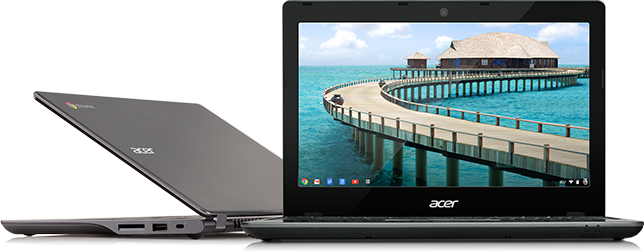
If you're out shopping for a computer, depending on your needs, you can pick a desktop PC, a notebook, a netbook, or even a tablet. Now, as if to complicate things further, you'll also find something known as a Chromebook-a lightweight, portable device that's been launched by Google and its hardware partners.

SO WHAT IS A CHROMEBOOK?

Buy HP 14-Q001TU Chromebook (4th Gen CDC/ 4GB/ 16GB SSD/ Chrome OS): ComputerA Chromebook is like a netbook. It lacks an optical disc drive and is designed for use on the internet. In some ways, it's also like a tablet and comes with its own web store the carries over 30,000 apps. These are powered by the Chrome OS, developed by engineers at Google. 

WHAT CAN YOU DO WITH A CHROMEBOOK?

If, you spend all your time on the internet, then the Chromebook will work for you. this device relies on cloud-based services-that is, apps on the internet- for most of common computer tasks. This means you have to carry( like, to use Docs for word processing, Pixlr Editor for image editing and so on) Google drive.
When it comes to storage, the Chromebook has only 16GB, or a 32GB solid state drive(SSD), because it relies heavily on virtual storage available on Google Drive.

WHAT CAN'T YOU DO WITH IT?

You can't use apps designed for Windows or Mac OS platform. So no browser life Firefox, no VLC, no Photoshop, no Microsoft Office. Its not a right choice to go with this machine if you are a tough gamer playing demanding 3D games like Call of Duty or Grand Theft Auto.
Due to its internal storage, it can't store hundreds of videos. And, it can't play DVDs. But it can play media from a pendrive or an external mass storage. MKV, FLV, WMV files may not run. Also, support of cameras and smartphones is limted.

DOES IT REQUIRE 24x7 INTERNET CONNECTION TO WORK?

Throughout the discription you might have felt that 'No internet, No Chromebook'. But that's not the case. You can access your mailbox offline, create documents using Google  Drive.You can use offline apps, and even play some games. But without net, this device has limited utility.

BOTTOMLINE?

If you're the one concerned with Boot time then this must be your foremost preference. But to run intensive apps, games and software, pick a Windows Laptop.

Specifications
  • 14'' 200 nit display with 16:9 aspect ratio
  • 1.85 kg, 21 mm thin
  • Up to 9.5 hours of active use1
  • New Intel Processor
  • 100 GB Google Drive Cloud Storage2 with 16GB Solid State Drive


  • Bluetooth®4.0 Compatible

    • Built-in dual band Wi-Fi 802.11 a/b/g/n, 3G modem (opt)
    • HP TrueVision HD Webcam
    • 2x USB3.0, 1x USB2.0
    • Full size HDMI Port

     Hope you liked this post too.....Please feel free to comment in the comment section below.
     For more posts and updates subscribe to our newsletter and Like Us on Facebook: Studience

    ABOUT US

    Studience is a gateway of information to the new innovative developments and scientific inventions that is driving its path to the commercial market. We offer great depth and breadth of the breaking news on the latest scientific discoveries that Studience does in a user-friendly manner with an easy access and without subscription fee....more

    FOLLOW US

    2014 © Studience | Edited by Siddharth Muralidaran
    Published By Gooyaabi Templates | Theme by Way2themes